Does a HyperX Pulsefire mouse work on a Mac?
 InputConfig is completely free on the Mac App Store. You don't have to make an account, there are no subscriptions, and nothing is locked. Optimized for Apple silicon.
Yes, as a mouse. A HyperX Pulsefire plugs into a Mac and the pointer, clicks and wheel work, but HyperX says NGENUITY is Windows only, so there is no HyperX app to customize it from a Mac. You can still get the buttons working, because what you save to the mouse's onboard memory stays there and what is left over can be bound on a Mac.
I read HyperX's NGENUITY page on October 21, 2026. It says "Currently, NGENUITY is only available for Windows" and adds that Mac and Linux users still get limited features from devices with onboard memory profiles. I make InputConfig, a free Mac app that reads a mouse's extra buttons and gives each a job.
On this page: 12 sections
Steps
- Plug in the mouse. The pointer, clicks and wheel work at once.
- If you need to change DPI, lighting or button settings, borrow a Windows PC with NGENUITY and save them to the mouse.
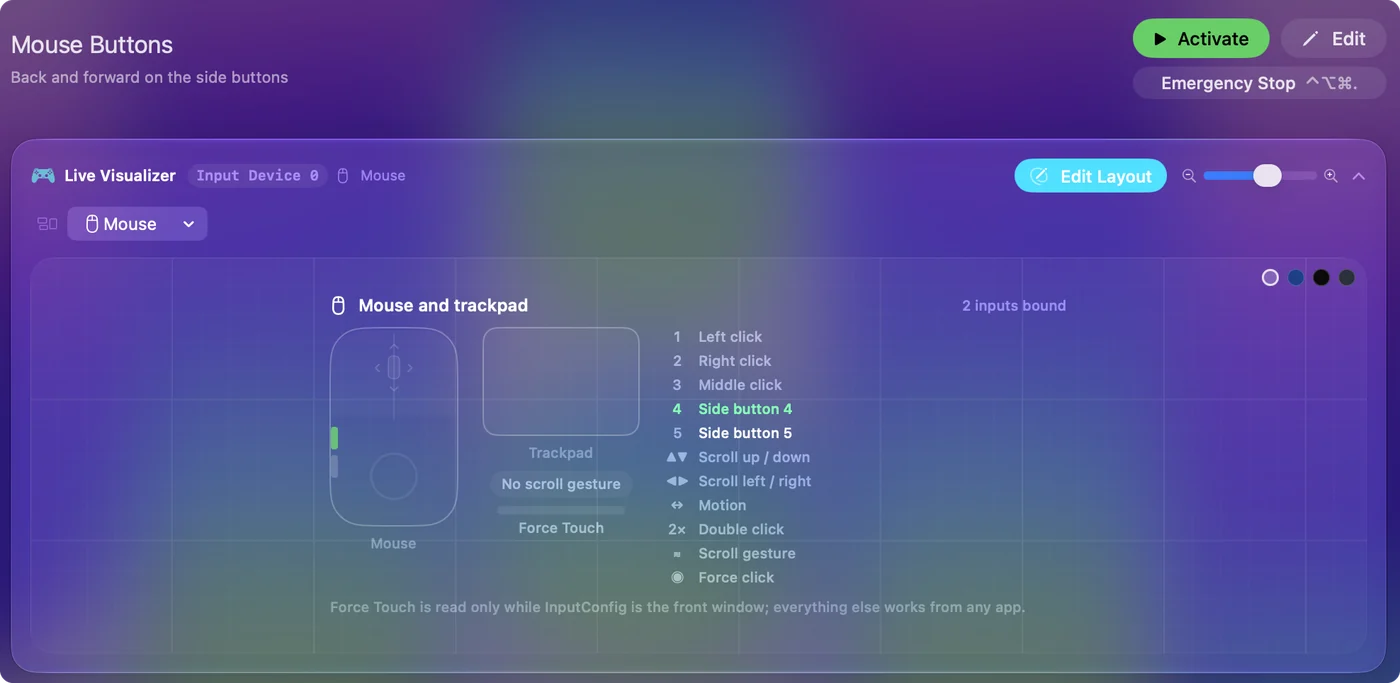
- Back on the Mac, open InputConfig, add a row, press Scan and press a side button.
- Pick an output such as Back, Forward, a shortcut or a macro.
- Press Activate and test the button in the app you care about.
Use a Pulsefire without NGENUITY
HyperX's page lists the current NGENUITY devices, among them the Pulsefire Haste 2 (wired), the Haste 2 Pro 4K Wireless, Haste 2 S Wireless, Haste 2 Wireless, Haste 3 and its wireless versions, and the Pulsefire Saga. Older devices use NGENUITY Legacy, which the page says has limited support after August 2025. Both versions are Windows software.
| Mouse | What I know |
|---|---|
| Pulsefire Haste 2 | Listed for current NGENUITY, which is Windows only. A very light mouse with few buttons. |
| Pulsefire Raid | Retailer listings say 11 programmable buttons with 5 on the side and onboard memory that NGENUITY writes. |
| Pulsefire Dart | Not on the current list I read, so it is an older device on the Legacy software. I could not confirm its button count. |
On a Mac the mouse keeps working with whatever it had stored. The Mac cannot run NGENUITY, but the mouse still carries the settings it was given.
Save your settings once on Windows
If you need a different DPI or button assignment, the plan is a one time visit to a Windows PC.
- You: On a Windows PC, install NGENUITY, plug in the mouse, and set the DPI, lighting and any button assignments you want.
- InputConfig: Nothing on the Mac is involved yet. NGENUITY writes the settings to the mouse.
- Check: Plug the mouse into the Mac. The DPI step and the lighting you chose should be there.
HyperX describes the onboard memory profiles itself, so I would treat that as the supported route, not a trick. Without a PC, the mouse behaves as it was shipped.
Find out what each button sends
- You: Open InputConfig, add a row, press Scan and click each button in turn.
- InputConfig: Names the button that arrived and lights it in the Live Visualizer.
- Check: Left, right, wheel and the side buttons should be named. The DPI button may be silent, so press Scan to see.
| Button | How it reports | Use it for |
|---|---|---|
| Left, right, wheel click | Left click, Right click, Middle click | Wheel click can be Mission Control. |
| Side buttons | Button 4 and Button 5, and higher on the Raid | Back, Forward, shortcuts. |
| Raid's extra buttons | Mouse buttons or keys, depending on what is stored | Press Scan. A button that types needs the F13 plan below. |
| DPI button | Usually only the mouse sees it | If Scan stays silent, the mouse keeps it. |
Bind the side buttons
- You: Choose Button 4 as a row's input and pick Keyboard Key with Command and the left bracket. Do the same with the right bracket for Button 5.
- InputConfig: Sends Back and Forward when you press them.
- Check: Press each in Safari or Finder and watch the window move.
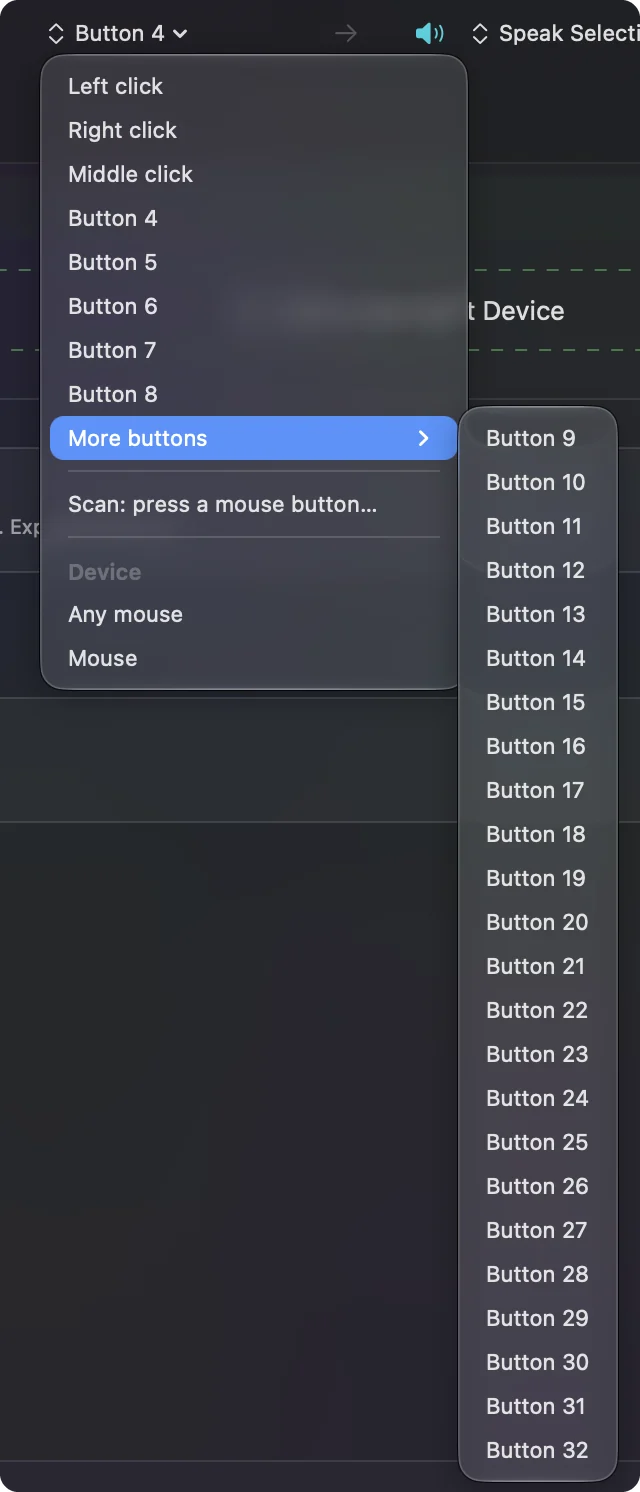
Bind the buttons your thumb already finds, and leave the DPI button to the mouse.
Macros and multi step jobs
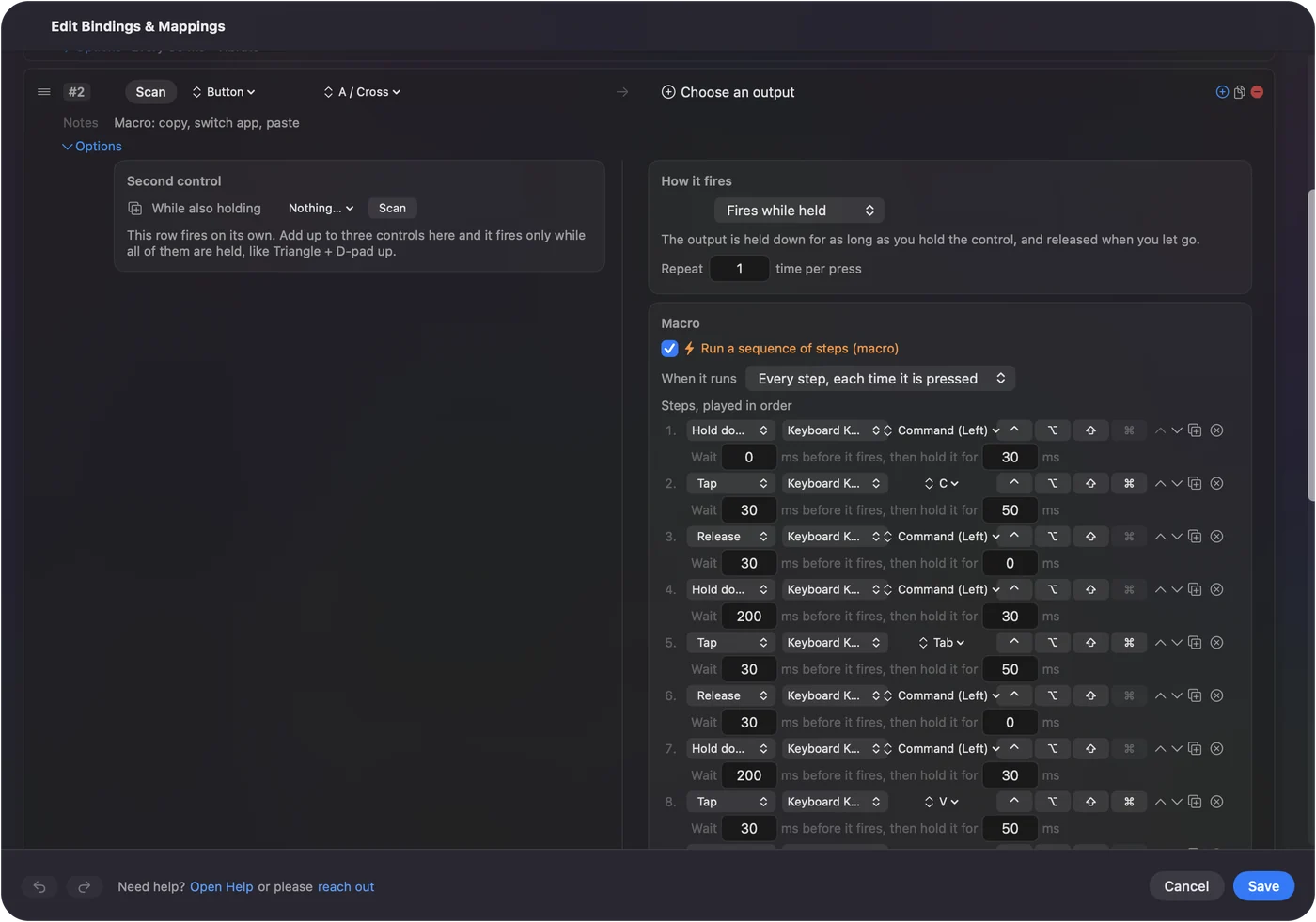
A Pulsefire Raid has the room for macros that a Haste 2 does not. In a row's Options, tick Run a sequence of steps (macro), then add key, shortcut and click steps, each with a wait and a hold time. NGENUITY has its own macro editor on Windows, and macros saved there run inside the mouse. A macro made in InputConfig runs on the Mac while InputConfig is active, and it works with every mouse, so you can keep one set of macros whichever mouse is plugged in.
Options that make it better
- Hold and double tap. A hold action on Button 4 can start Mission Control while a tap stays Back.
- Block the original action. Tick it for a side button that an app also reads.
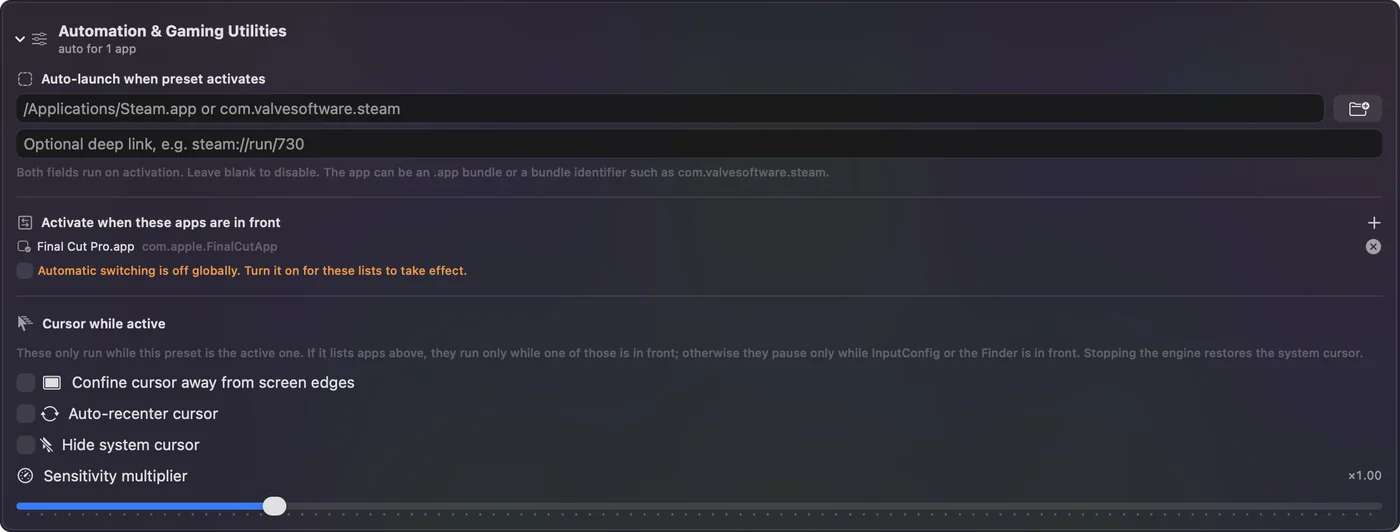
- Per app layouts. List the apps under Automation and Gaming Utilities and the layout follows the front app.
- Repeat while held. A held button can repeat a key, useful for scrolling a document by key.
Ideas for a Pulsefire user
- A Raid as a light MMO or editing mouse. Put copy, paste, undo and a tab switch on its side buttons.
- A Haste 2 for fast work. Keep it simple: Back, Forward, and a hold for Mission Control.
- A shared setup. Set DPI once on a PC, then use InputConfig for everything else.
If a button does nothing
Climb this ladder, smallest step first:
- Press Scan again. If nothing is named, the mouse is not sending that button.
- Check the mode. Wireless models can drop to a different connection type or sleep.
- Check Accessibility. System Settings, Privacy and Security, Accessibility must list InputConfig.
- Reset the mouse. Only a Windows PC with NGENUITY can restore stored settings, so I would not rely on a Mac for that.
- Read the button's kind. A button stored as a key types that key, and the MMO mouse page has the F13 plan.
- Look for a hidden mode button. Some mice have a small button that switches the side buttons to media keys or another stored layer, so a button can seem dead when the mouse is in a different mode. Press it once and Scan again.
What it cannot do
- Run NGENUITY. HyperX says it is Windows only.
- Change DPI, polling rate or lighting. Those are the mouse and NGENUITY.
- Bind a button the mouse keeps. If Scan sees nothing, nothing can.
The short version
- Works. A Pulsefire is a normal mouse on a Mac.
- NGENUITY. Windows only, and the mouse keeps what it saved.
- Buttons. Scan and bind them in InputConfig.
Set it once on a PC if you need to, then let the Mac use the buttons.
Questions
Is HyperX NGENUITY available for Mac?
No. HyperX's NGENUITY page says it is currently only available for Windows. Mac users get limited features from devices with onboard memory profiles.
Does the HyperX Pulsefire Haste 2 work on a Mac?
As a mouse, yes. NGENUITY, which sets its DPI, lighting and buttons, only runs on Windows.
Can I change HyperX Pulsefire DPI on a Mac?
Use the DPI button on the mouse. To change which levels it steps through you need NGENUITY on a Windows PC.
How do I use the Pulsefire Raid side buttons on a Mac?
Press Scan in InputConfig and click each side button to see what it sends, then bind it. A button that sends keys needs to be set to F13 to F20 first.
Is there a Mac alternative to NGENUITY?
For button jobs, InputConfig reads the buttons the mouse sends. It does not change DPI or lighting, so those stay on the mouse.
Can I use a HyperX mouse on a Mac without NGENUITY?
Yes. It works as a mouse, and settings saved to its onboard memory on a Windows PC stay in the mouse when you plug it into a Mac.
Related
This page in other languages: العربية, Čeština, Dansk, Deutsch, Español, Suomi, Français, עברית, Magyar, Bahasa Indonesia, Italiano, 日本語, 한국어, Norsk, Nederlands, Polski, Português, ไทย, 繁體中文, 简体中文
Completely free. You don't have to make an account, there are no subscriptions, and nothing is locked. Optimized for Apple silicon. Open source on GitHub.
Updated