How to use a joystick on a Mac
 InputConfig is completely free on the Mac App Store. You don't have to make an account, there are no subscriptions, and nothing is locked. Optimized for Apple silicon.
A joystick works on a Mac: plug it in. macOS reads any USB joystick, flight stick, HOTAS, wheel, arcade stick or generic USB gamepad as a standard HID device, with no driver. On a MacBook Air or MacBook Pro you need a USB-C adapter for a USB-A plug, and a Mac laptop with Apple silicon may ask you to allow the new accessory the first time. What happens next depends on the app: flight sims and emulators read HID devices themselves, most other games do not, and for those you map the stick to keys and the mouse with InputConfig. For a PlayStation, Xbox or Switch controller, start with how to connect a controller to a Mac instead.
On this page
- Steps
- Know what macOS does with a joystick
- Pick a joystick that works with a Mac
- Set it up in apps that read it directly
- Map it for everything else
- Flight sticks, HOTAS and Logitech pads
- Set an arcade stick's mode switch first
- Use a joystick as a mouse
- If the joystick does not show up
- What it cannot do
- The short version
- Questions
Steps
- Plug the joystick into the Mac, with a USB-C adapter if the plug is USB-A.
- Click Allow if the Mac asks whether the new accessory may connect.
- If the game reads joysticks, set the stick up in the game's own controls screen.
- If the game ignores it, add a row in InputConfig, press Scan, and move the stick or press the button.
- Give each row a key or a mouse output and press Activate.
Know what macOS does with a joystick
There are two kinds of controller as far as a Mac is concerned.
- Gamepads Apple's framework knows. The PlayStation, Xbox and Switch pads get first-class support, and every native game sees them.
- Everything else. A joystick, HOTAS, wheel or fight stick is a plain HID device: the Mac reads its axes and buttons, but Apple's framework does not present it as a game controller, so a native Mac game usually will not see it.
A joystick that is missing from Game Controllers in System Settings is not broken, because that list only shows the first kind.
Pick a joystick that works with a Mac
Any USB joystick that presents itself as a standard HID device works with a Mac, so the question is mostly which app will use it. Each kind has its own page:
- Flight sticks and HOTAS. The Mac reads the stick, throttle and pedals as separate devices. Flight stick or HOTAS on a Mac has the setup, and the Logitech Extreme 3D Pro has a page of its own.
- Arcade and fight sticks. They work in their PC or DirectInput mode. Fight stick on a Mac covers the mode switch.
- Wheels. Racing wheels on a Mac and Thrustmaster wheels cover pedals and force feedback limits.
- Gamepads with a stick. A Logitech F310, F510 or F710 is read the same way, once its switch is on D: Logitech controllers on a Mac.
- Any other USB pad or stick. Wired controllers on a Mac has the rules for generic ones.
To see whether a stick sends what you expect, press its buttons and move its axes in the joystick tester. If the tester sees the stick, the Mac is doing its job, and what is left is which app reads it.
Set it up in apps that read it directly
X-Plane, FlightGear, DCS through CrossOver, OpenEmu, RetroArch and most emulators read HID devices themselves, with their own axis and button assignment. Set the stick up in the app's controls screen and you are done.
Map it for everything else
For games and apps that do not read HID, InputConfig reads the stick as a raw HID device: every button, every axis at full resolution, and every hat switch can send a key, a mouse movement, a scroll, or anything else.
- You: Add a row, press Scan, and move one axis to its end or press one button.
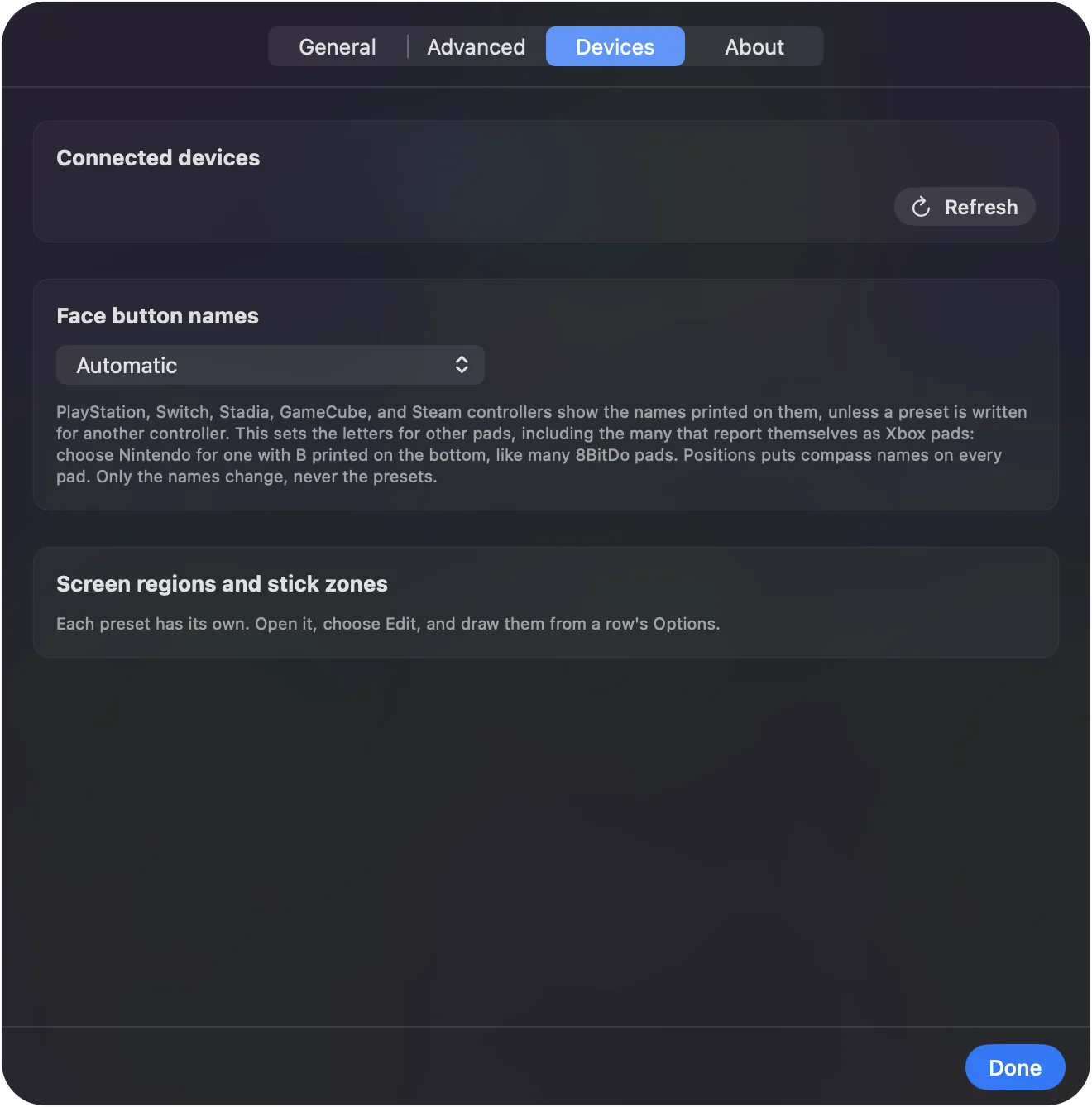
- InputConfig: Fills in the input it saw, and lists the device in Settings, Devices as detected over raw HID.
- Check: Scan each axis before you build a whole layout, so you know every one arrives. If the stick is not listed at all, tick it under InputConfig, Devices and the app opens it directly.
The other controllers page lists what has been tested.
Flight sticks, HOTAS and Logitech pads
A flight stick or a HOTAS works the same way: the Mac reads it with no driver, X-Plane sets it up in its own joystick screen, and games made for the keyboard need a mapper. When the stick, the throttle and the pedals plug in as separate USB devices, each gets its own slot in InputConfig, and one preset can hold all three. The flight stick and HOTAS page has the full setup, with a Kerbal Space Program example.
A Logitech F310, F510 or F710 is a gamepad, not a joystick, but the Mac treats it the same way once its X/D switch is on D. The Logitech page covers the switch, the USB-C plug-in fix, and why there is no driver to download.
Set an arcade stick's mode switch first
An arcade stick or fight stick is where the mode switch decides everything.
- PC or DirectInput mode. An ordinary HID device like any USB joystick, so everything above applies.
- Xbox or XInput mode. Most sticks speak the wired Xbox 360 protocol here, which macOS does not support and InputConfig cannot read, so nothing sees them.
The full walkthrough, with leverless controllers, 8BitDo and Mayflash sticks and fighting games, is on arcade sticks and fight sticks on a Mac.
Use a joystick as a mouse
A joystick sold as a joystick mouse for computer access already moves the pointer, with no software, because the Mac sees it as a mouse. Any other joystick, flight stick or arcade stick needs a mapper: in InputConfig, give the stick's four directions the output Mouse Motion and a button Left click, then tune the deadzone, the Smooth curve and the speed so small pushes are precise. The joystick mouse guide has the full setup, including chin and mouth joysticks.
If the joystick does not show up
Climb this ladder, smallest step first:
- Plug it straight into the Mac. Some hubs drop HID devices.
- Allow the accessory. On a Mac laptop with Apple silicon, click Allow when macOS asks, or unplug and plug in again to get the prompt back.
- Check System Information. USB in System Information shows whether the Mac sees the device at all.
- Tick it in InputConfig, Devices. The app then opens it by hand and remembers it.
- Move the mode switch. A stick in Xbox or XInput mode cannot be read. Switch it to PC or DirectInput.
What it cannot do
- Force feedback. InputConfig does not drive it. It works only in games that support the wheel or stick themselves.
- Act as a gamepad. InputConfig sends keys and mouse events. A game that accepts only a gamepad still needs a real one.
- XInput mode. A stick speaking the wired Xbox 360 protocol stays unreadable on a Mac.
The short version
- Plug it in. It needs no driver, only an adapter on a USB-C Mac.
- Try the app first. Flight sims and emulators set up a joystick in their own controls screen.
- Map the rest. InputConfig turns every axis and button into keys or the mouse.
If the Mac sees it and the game does not, a mapper is the fix, not a driver.
Questions
Do USB joysticks work on a Mac?
Yes, any USB HID joystick is read by macOS without a driver. Whether a given game uses it is up to the game.
Which joysticks work with a Mac?
Any USB joystick, flight stick, HOTAS or arcade stick that appears as a standard HID device. The Mac reads it with no driver, and whether a game uses it is up to the game. An arcade stick must be in PC or DirectInput mode, and one in Xbox or XInput mode cannot be read.
How do I test a joystick on a Mac?
Open the joystick tester in your browser, move each axis to its end and press each button. If the stick does not show up, check System Information, USB, and see whether InputConfig lists it under Devices.
Does a Thrustmaster or Logitech flight stick work on a Mac?
As a HID device, yes. X-Plane and similar sims read it directly. Other games need a mapper such as InputConfig.
Can I use an arcade stick on a Mac?
Yes, in its PC or DirectInput mode. Emulators read it directly, and InputConfig maps it for anything else, including fighting games that only take keyboard input.
Why is my USB joystick missing from Game Controllers in System Settings?
That list only shows controllers Apple's own framework supports, such as PlayStation, Xbox and Switch pads. A USB joystick, flight stick or generic gamepad is read as a plain HID device instead, so it is missing there even when it works. System Information, USB shows whether the Mac sees it, and InputConfig lists it in its Settings, under Devices.
Can you use a joystick as a mouse on a Mac?
Yes. Joystick mice made for computer access work as soon as they are plugged in. Any other USB joystick becomes a mouse with InputConfig, which is free: each stick direction moves the pointer and a button clicks.
Is there a joystick config app for the Mac?
Yes. InputConfig is one, and it began as JoystickConfig. It reads USB joysticks, flight sticks, wheels and arcade sticks as HID devices and maps their axes and buttons to keys, mouse movement and scrolling in any app. It does not drive force feedback. It is free on the Mac App Store.
Related
This page in other languages: Español, Bahasa Indonesia, Italiano, Português, 繁體中文
Updated