How to control music on a Mac with a game controller
 InputConfig is completely free on the Mac App Store. You don't have to make an account, there are no subscriptions, and nothing is locked. Optimized for Apple silicon.
Activate the built-in Media Controller preset in InputConfig and a game controller plays, pauses, skips tracks and changes the volume. It sends the Mac's real media keys, so it works with Apple Music, Spotify, a podcast app or a video in the browser, whichever one answers the media keys.
I make InputConfig, a free Mac app. Use this page if you want a remote for music from the couch, or one spare button for play and pause while you work.
Steps
- Install InputConfig from the Mac App Store and connect a controller.
- In the sidebar, open Desktop & Productivity and click Media Controller.
- Click Activate.
- Press A to play or pause, and use the bumpers for volume.
Start with Media Controller
- You: Select Media Controller in the sidebar and click Activate.
- InputConfig: Turns the controller into a media remote. A plays and pauses, and the bumpers change the volume.
- Check: Start a song, then press A. It pauses.
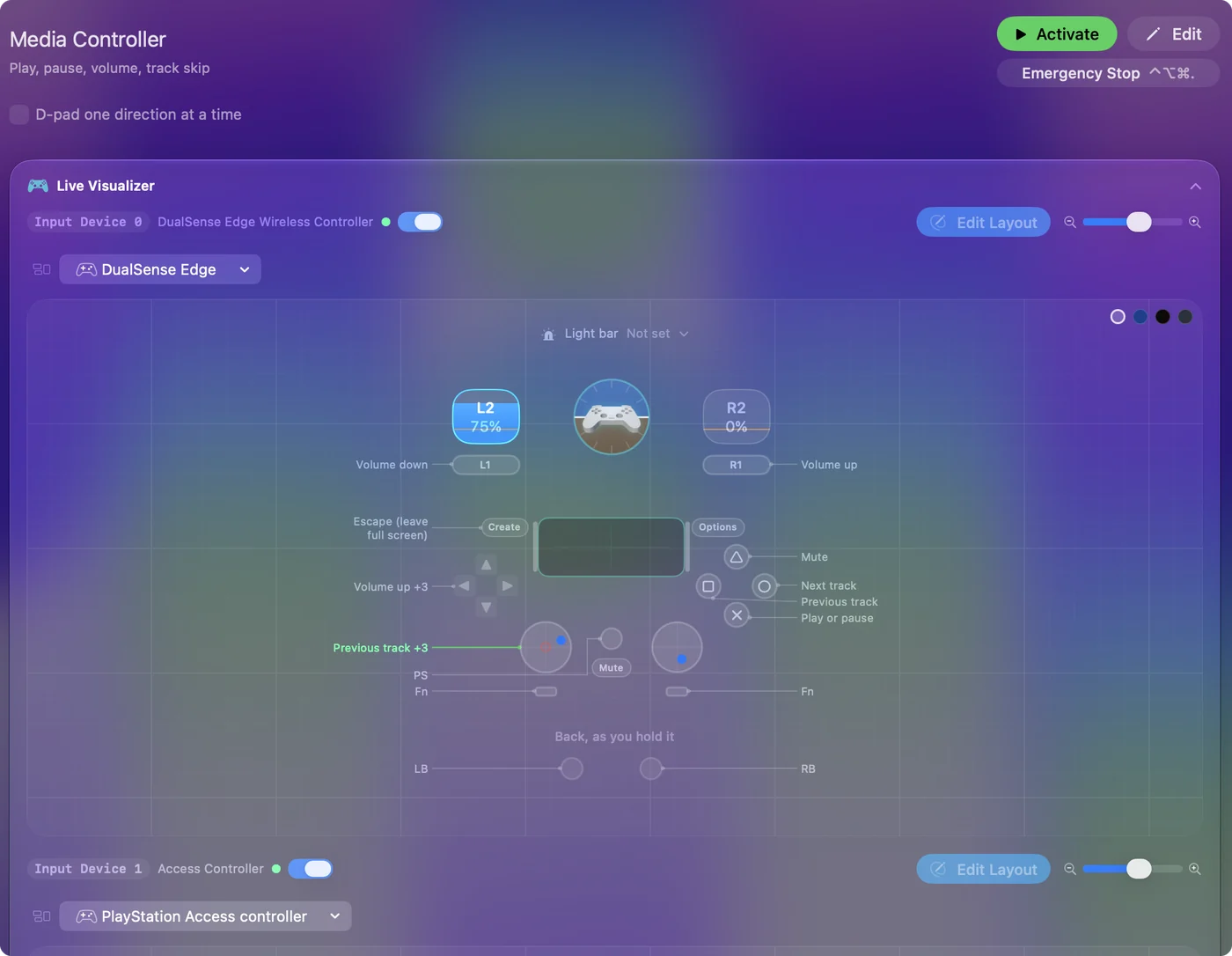
Add media keys to any preset
You do not need a whole preset for this. Any row can send a media key, so one button in your everyday layout can be play and pause.
- You: Add a row, press Scan and press a button. Set the output type to System Function and pick Play / Pause, Next Track or Previous Track.
- InputConfig: Sends a real media key, the same one the F8 key sends.
- Check: Press the button with music playing.
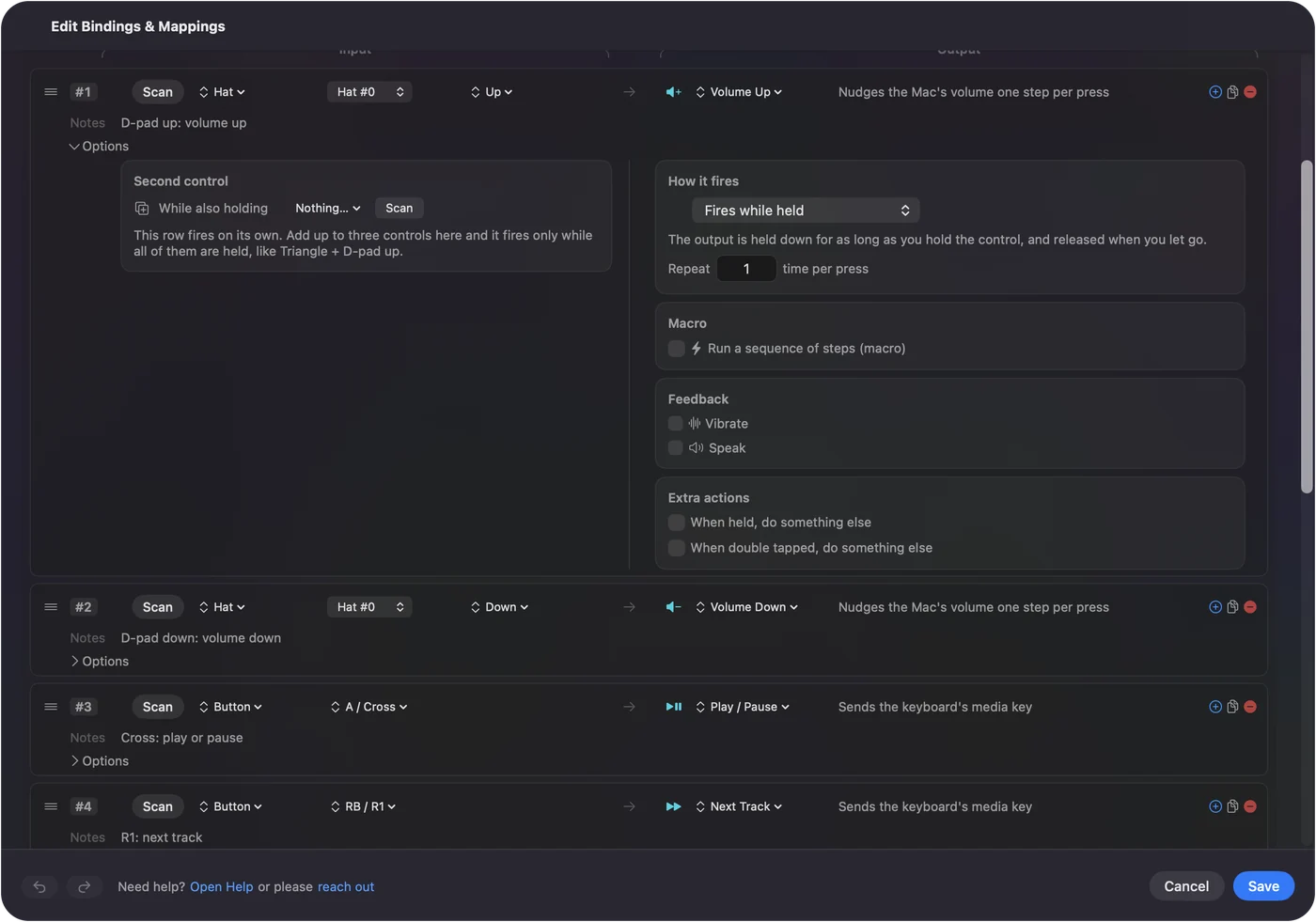
The app that answers is the one macOS gives the media keys to, usually the last one that played sound.
Use something other than a controller
The same rows work from a mouse side button, a MIDI pad, a foot pedal that sends a key, or a spare key such as F13. A pad controller on the desk makes a good music remote: one pad to play, two to skip, one knob for volume.
What it cannot do
Media keys cannot pick a playlist or like a song. For that, bind the app's own keyboard shortcut on a row, or use Run Siri Shortcut with a shortcut that does the job. If the wrong app answers, pause it there once and play the one you want.
The short version
- Fastest. Activate the built-in Media Controller preset.
- One button. A System Function row with Play / Pause.
It sends real media keys, so it works with any player that listens to them.
Questions
Can I control Spotify with a game controller on a Mac?
Yes. InputConfig sends the Mac's media keys, and Spotify answers them. Activate the Media Controller preset, or put Play / Pause on any button.
Can I skip tracks with a mouse button on a Mac?
Yes. Bind a mouse side button to the Next Track system function in InputConfig. Tick Block the button's own action if the button also goes back in a browser.
Why does the wrong app start playing?
macOS sends media keys to the app it considers the current player, usually the last one that played sound. Pause that app and start the one you want, and the keys follow.
Related
Completely free. You don't have to make an account, there are no subscriptions, and nothing is locked. Optimized for Apple silicon. Open source on GitHub.
Updated