Can I use mouse side buttons in Fortnite on a Mac?
 InputConfig is completely free on the Mac App Store. You don't have to make an account, there are no subscriptions, and nothing is locked. Optimized for Apple silicon.
Yes, through cloud gaming. Fortnite is not installed on a Mac, so you play it on GeForce NOW or Xbox Cloud Gaming, and GeForce NOW is the one that takes a keyboard and mouse. Bind a side button in Fortnite's own settings, and if the stream does not pass it, let InputConfig, the free Mac app I make, turn the button into a key before the browser or app ever sees it.
I picked Fortnite for this page because it is the shooter that Mac guides keep returning to when I searched on October 21, 2026, and cloud streaming is how every one of them says to play it. It has not been installed on a Mac since 2020. I did not research a second shooter, so this page is about Fortnite only.
On this page: 12 sections
Steps
- Open GeForce NOW in its Mac app, or in Chrome or Safari, and start Fortnite.
- Press Escape in Fortnite, open the gear, then the keyboard icon, and try binding a side button.
- If the stream ignores it, add a Mouse row in InputConfig, press Scan, and press the button.
- Choose Keyboard Key and the key Fortnite uses for your building piece, and block the button's own action.
- Add the app or browser to the preset's list, press Activate, and test it in a Creative island.
What works with nothing installed
Two services stream Fortnite to a Mac. GeForce NOW has a native Mac app, which NVIDIA lists for macOS 10.15 or later, and it also runs in Safari 16.4 or later. It streams the PC version. NVIDIA's requirements page, which I read on October 21, 2026, recommends a USB gaming mouse, and says the Apple Magic Mouse lacks dedicated left and right buttons and a scroll wheel that games usually need. Xbox Cloud Gaming runs in a browser, and Microsoft's 2024 announcement said keyboard and mouse for Fortnite was browser only, needed full screen, and needed a click on the stream. I could not confirm how that stands on a Mac now, so check xbox.com/play before you plan around it.
The in game binds live in Epic's own menu. Epic's support page says to press Escape, open the gear, and choose the keyboard icon. The Standard preset is the default, and the fan wiki lists left mouse for fire, right mouse for target, R to reload, E to use, G for edit, and F1 to F5 for building pieces. I have not confirmed those against a current build. Side buttons have no default in Fortnite, so every use of them is a bind you make.
The Safari side button bug
A WebKit bug reported in October 2024, first noticed on GeForce NOW, says Safari reported extra mouse buttons as the middle button. The bug tracker, which I read on October 21, 2026, marks it fixed in Safari 26, with fixes merged in December 2025. I have not tested GeForce NOW myself.
- On Safari 26 or later. Side buttons should arrive as their own buttons, but test it.
- On older Safari. Button 4 and 5 may arrive as a middle click, which is why a side button seemed to do nothing or the wrong thing in the stream.
- In Chrome or the GeForce NOW app. The bug report says Chrome recognized the fifth button correctly, and the app is not a browser.
InputConfig sidesteps the whole question. If you tick Block the button's own action and send a key, the stream gets a key and never sees Button 4 at all.
Find out what each button sends
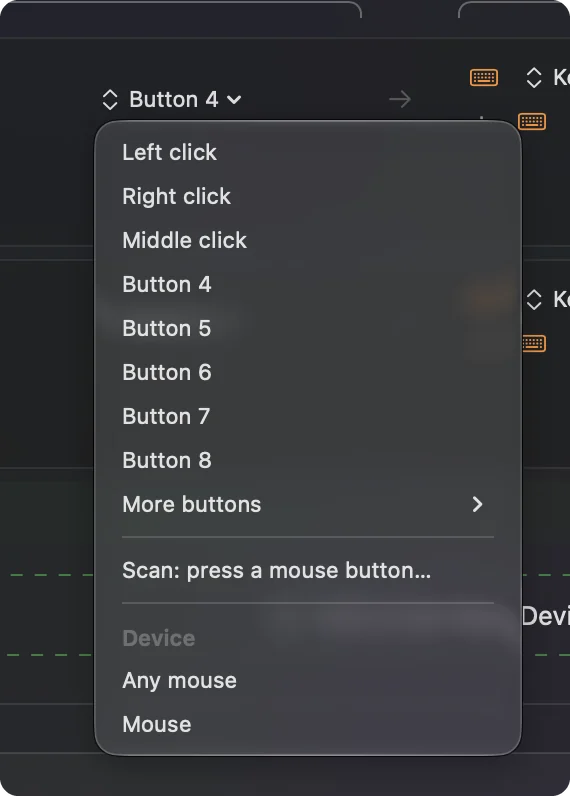
- You: Open InputConfig, add a Mouse row, choose This Mac's mouse or trackpad, press Scan, and press the side button.
- InputConfig: Names it, for example Button 4, or lists a key if the mouse is a grid mouse.
- Check: A button that scans as Button 4 or 5 is a normal mouse button. One that scans as a key already types it.
| Button | How it reports | Use in Fortnite |
|---|---|---|
| Button 4 and 5 | Mouse buttons on most mice | Wall and floor, or whatever you build with most. |
| Wheel press | Middle click | Edit, or a ping. |
| Thumb grid | Keys, usually the number row | Weapon slots, with no setup. |
| DPI button | Often nothing | Stays in the mouse. |
Bind a side button to a building piece
Community guides often put a wall on one side button and a floor or a ramp on the other, because it keeps the fingers on the movement keys. I only have these from guides, not from my own play. Pick the pieces you use most.
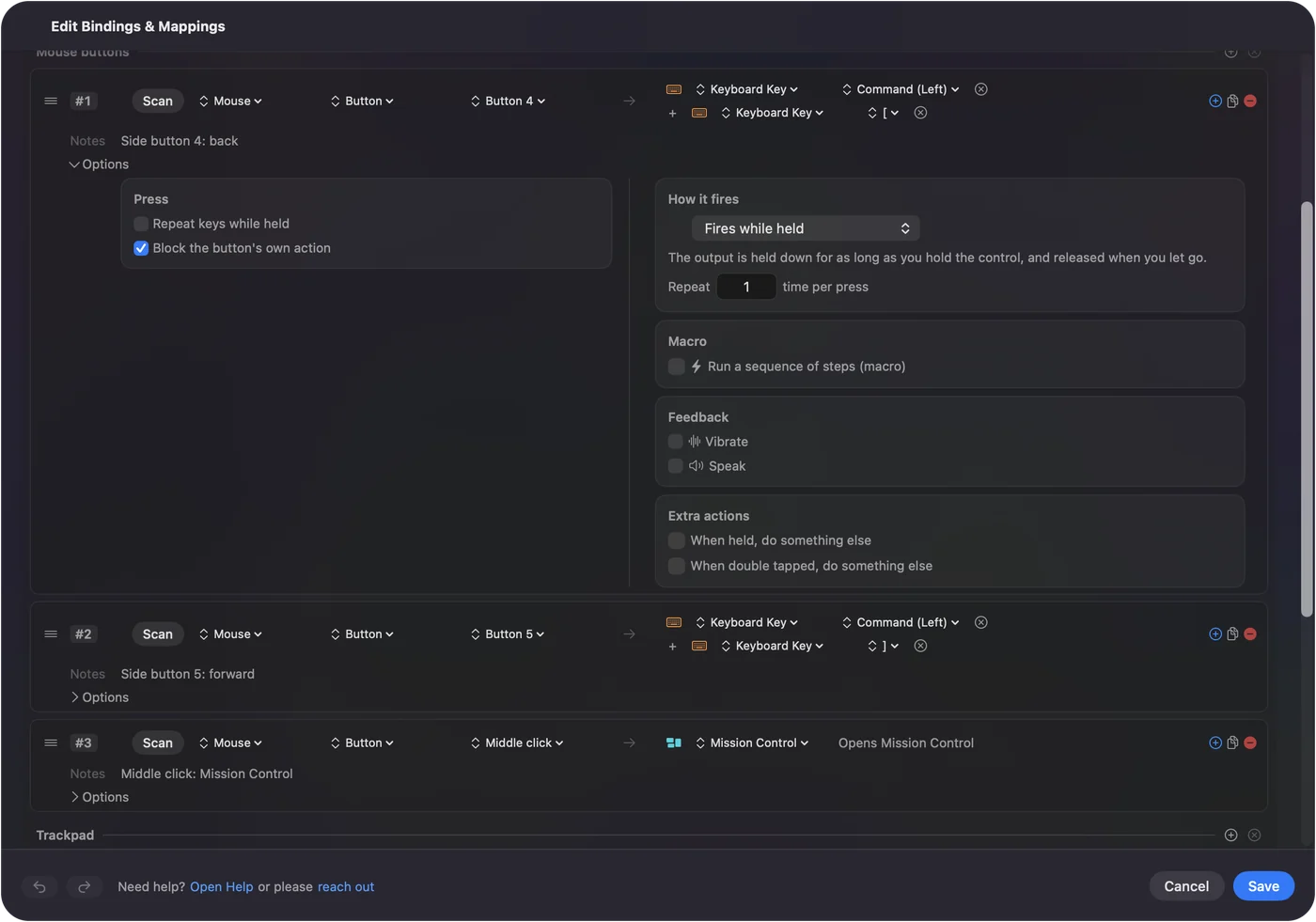
- You: In Fortnite's keyboard settings, choose a key for the piece. In InputConfig, add a Mouse row for Button 4, press Scan, press the button, choose Keyboard Key and that key, and tick Block the button's own action.
- InputConfig: Presses the key each time you press the side button.
- Check: In a Creative island, press the button. The piece appears in your hand.
InputConfig needs the Accessibility permission, in System Settings, Privacy & Security, Accessibility. Control Option Command period is the emergency stop.
Macros, holds and double taps
A row's Options can run a macro, and each row can have a hold action and a double tap action. For a shooter I would stay small, such as a tap for a wall and a hold for a different piece, and keep to one press for one action. I have not checked Epic's current rules on macros, and a tool that chains many actions in a fight could break them, so read the rules before you build a long macro.
Use it only while the stream is in front
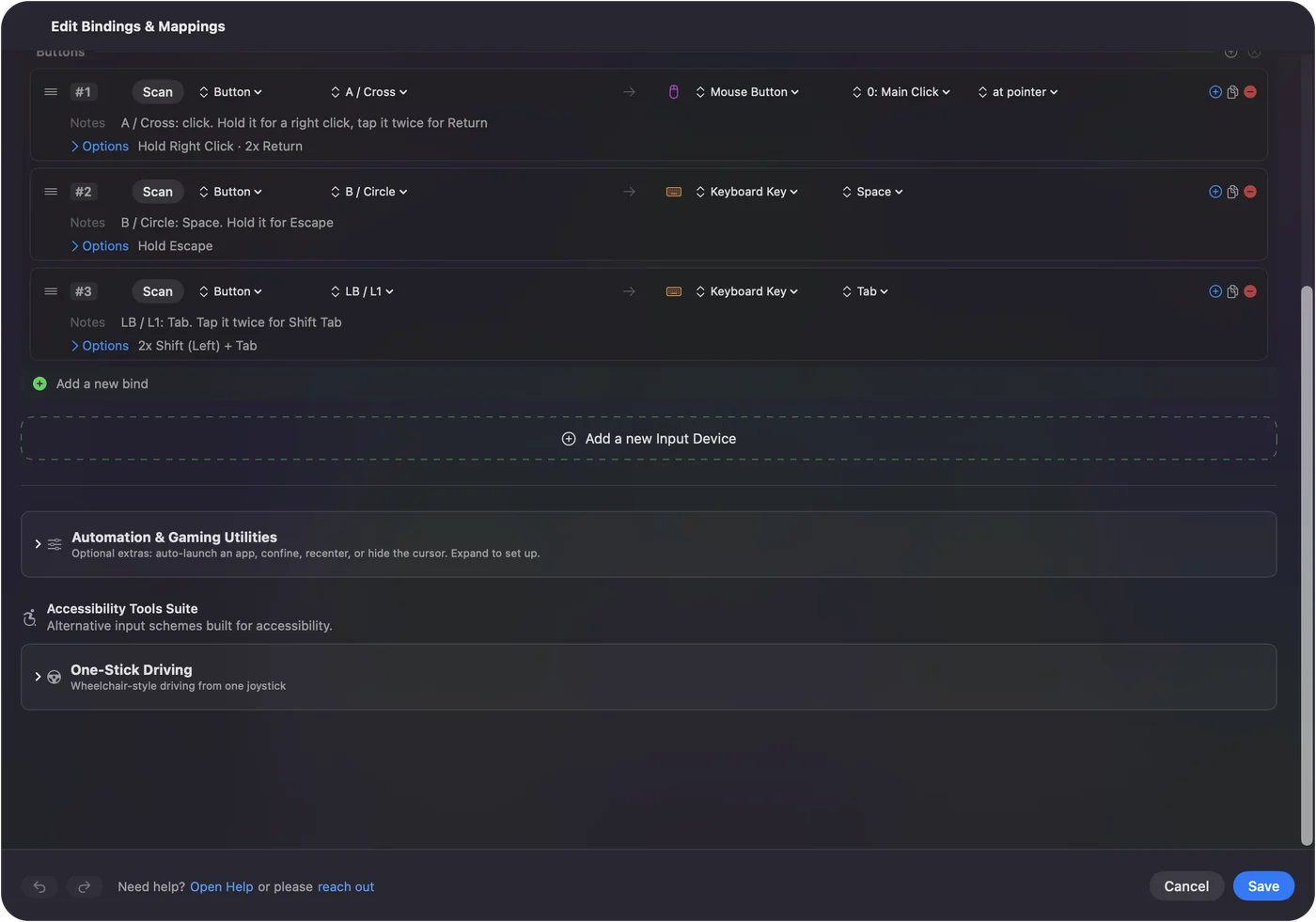
List the GeForce NOW app, or your browser, under Automation & Gaming Utilities, in Activate when these apps are in front, and turn on Switch presets when the front app changes in Settings, Advanced. If you list a browser, the preset also runs in every tab, so I would use the GeForce NOW app for this. Only one preset runs at a time.
If you play with a controller instead, how to play Fortnite on a Mac with a controller covers it, and Xbox Cloud Gaming on a Mac with a controller covers the browser route.
Ideas for real players
- Builders. Walls and floors on the thumb free up the keys for movement.
- Players with tired hands. I made InputConfig because my hands are hard to use, so two thumb buttons that replace two awkward keys are what I would try first.
- Mac laptop players. A Magic Mouse has no side buttons, so a USB mouse is what NVIDIA recommends.
- Players on Wi-Fi. Latency matters more than binds. A wired Mac beats Wi-Fi.
If the stream ignores the button
Climb this ladder, smallest step first:
- Click the stream. Keyboard and mouse input only goes to a stream you have clicked, and Xbox Cloud Gaming wants full screen.
- Press Scan. If the Mac sees the button, the stream is the problem, and if it does not, the mouse is.
- Send a key. Use InputConfig with Block the button's own action, so the stream sees a key and not a button.
- Update Safari. The side button bug is marked fixed in Safari 26. Or use the GeForce NOW app or Chrome.
- Check Accessibility. InputConfig must be listed and on.
- Stop the preset. Control Option Command period turns it off.
What it cannot do
- Install Fortnite. It is not available for the Mac, and InputConfig cannot add it.
- Make Xbox Cloud Gaming take a mouse. That is the service's setting, and I could not confirm it on a Mac.
- Block a typed key. InputConfig listens to the keyboard and does not block it.
- Change DPI. The maker's app or a tool such as LinearMouse or Mac Mouse Fix does that.
- Fix lag. A cloud stream adds delay, and a side button does not remove it.
The short version
- Stream it. GeForce NOW is the one with a keyboard and mouse.
- Bind in Fortnite. Epic's menu has no side button default.
- Send keys. InputConfig turns the button into a key and hides the button from the stream.
A key sent from the Mac cannot be misread as a middle click.
Questions
Can I play Fortnite on a Mac with mouse and keyboard?
Through GeForce NOW, yes. Fortnite is not installed on a Mac, and GeForce NOW streams the PC version. Microsoft's announcement said Xbox Cloud Gaming took a keyboard and mouse for Fortnite in browsers only, so check xbox.com/play.
Do mouse side buttons work on GeForce NOW on a Mac?
A Safari bug reported them as a middle click, and the bug tracker marks it fixed in Safari 26. The GeForce NOW app and Chrome are other routes, and InputConfig can send a key instead of the button.
What mouse does NVIDIA recommend for GeForce NOW on a Mac?
A USB gaming mouse. NVIDIA's page says the Apple Magic Mouse lacks dedicated left and right buttons and a scroll wheel that games usually need.
How do I bind a side button to building in Fortnite?
Press Escape, open the gear and the keyboard icon, and click the building piece. If the stream ignores the side button, send the piece's key from the button with InputConfig.
Is there a Fortnite for Mac?
Not since 2020, and the Epic Games Store version is stuck on an old version according to one guide. Cloud streaming is how Mac players play now.
Related
This page in other languages: العربية, Čeština, Dansk, Deutsch, Español, Suomi, Français, עברית, Magyar, Bahasa Indonesia, Italiano, 日本語, 한국어, Norsk, Nederlands, Polski, Português, Русский, Slovenčina, Svenska, ไทย, Türkçe, Українська, Tiếng Việt, 繁體中文, 简体中文
Completely free. You don't have to make an account, there are no subscriptions, and nothing is locked. Optimized for Apple silicon. Open source on GitHub.
Updated