How do you use a 3Dconnexion SpaceMouse on a Mac?
 InputConfig is completely free on the Mac App Store. You don't have to make an account, there are no subscriptions, and nothing is locked. Optimized for Apple silicon.
Install 3DxWare 10 for macOS, 3Dconnexion's driver, and the SpaceMouse navigates in every app that supports it, such as Blender, Fusion, SketchUp, Cinema 4D and Maya. 3Dconnexion's driver page, which I read on October 23, 2026, lists version 10.8.13, released June 26, 2026, for macOS 12 or later. Outside those apps the cap does little, because an app has to be written for a 3D mouse to understand it.
I make InputConfig, a free Mac app. Since version 1.8 it reads a SpaceMouse itself: all six axes of the cap and the buttons are inputs, so in an app 3Dconnexion does not support you can push the cap to scroll a PDF, twist it to zoom, or put a macro on a button, with a different layout for each app. I have not checked every SpaceMouse model, so Scan is how you confirm yours.
On this page: 9 sections
Steps
- Install 3DxWare 10 for macOS from 3Dconnexion's driver page and keep it for the apps it supports.
- Open InputConfig, add a row, press Scan and push the SpaceMouse cap or press one of its buttons.
- Give the row an output, such as Mouse Wheel for a push forward or a shortcut for a button.
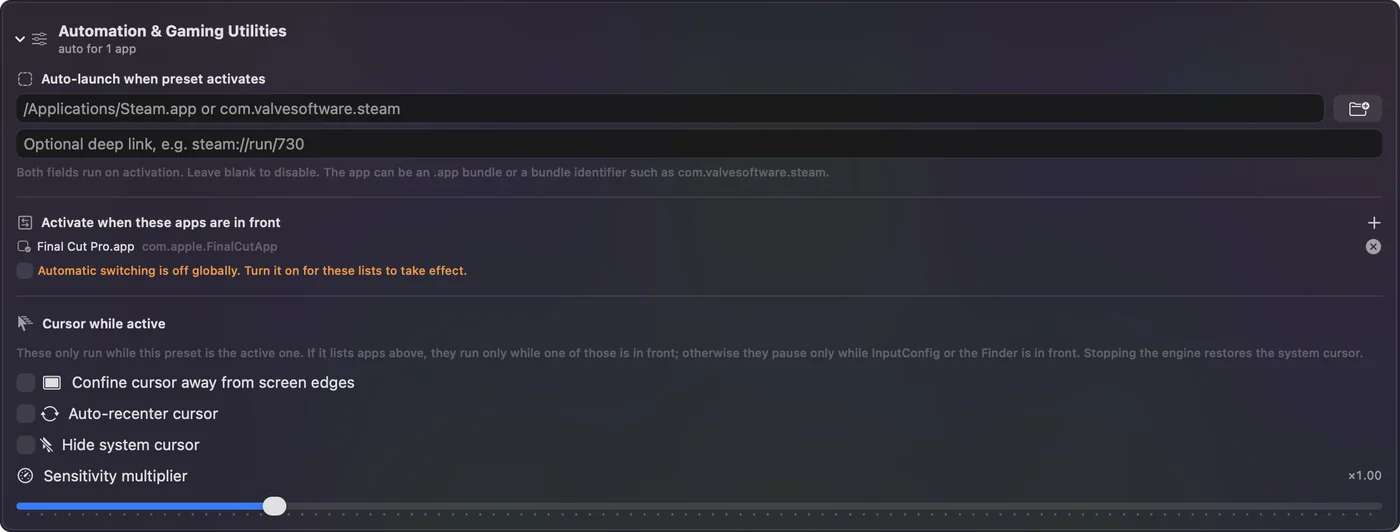
- List the apps that need these rows under Activate when these apps are in front.
- Turn on Switch presets when the front app changes in Settings, Advanced, so the layout only runs in those apps.
Know what 3DxWare does on a Mac
3DxWare 10 is the driver and the settings app in one. 3Dconnexion's driver page and the macOS release notes it links, both read on October 23, 2026, say this about it:
- The Mac version is current. 10.8.13 came out on June 26, 2026. Version 10.8.10, from October 2025, added macOS 26 Tahoe, and native Apple silicon support goes back to 10.7.0 in 2022.
- The supported devices are listed. The notes name the SpaceMouse Compact, Enterprise, Pro, Pro Wireless and Wireless, the SpaceNavigator and the SpaceNavigator for Notebooks, plus the CadMouse range and the Universal Receiver.
- Some apps get plugins. The package carries its own plugins for Cinema 4D, Maya, Photoshop, SketchUp and Unreal Editor, and recent releases added driver settings for PureRef, Substance 3D Painter, FreeCAD, Shapr3D and the SpaceMouse Enterprise's buttons in Blender.
- The buttons follow the app. 3Dconnexion's 3DxWare page says the driver recognizes the active application and assigns commands to the keys by itself, and it describes radial menus of four or eight commands and a Macro Editor.
For a modeling app on that list, this is the tool to use. 3DxWare is where a SpaceMouse belongs in any app that was built for one.
See where the SpaceMouse does nothing
The gaps are the apps nobody wrote 3D mouse support for: a browser, Preview, a PDF reader, a 2D design tool, a map, a video editor. On the 3Dconnexion forum, users on 3DxWare 10.8.4 reported that scrolling in Safari and Adobe Acrobat Reader is not supported, and that the cap only works as a plain 2D mouse there when the driver is not installed. That is a user report, not a statement from 3Dconnexion, but it matches what most people find.
The other gap is buttons. A SpaceMouse Compact has two, a SpaceMouse Pro has fifteen, and outside a supported app many of them have nothing useful to do. A cap that rests idle in half your apps is a spare input, and that is where InputConfig comes in.
Turn the cap and the buttons into inputs
InputConfig 1.8 reads the SpaceMouse directly. Each of the six directions the cap moves in, push and pull, slide side to side and front to back, tilt and twist, is an axis, and each button is a button. You bind them the same way as a stick or a pad button.
Step 1: Scan the cap
- You: Add a row to a preset, press Scan, and push the cap firmly in one direction, all the way.
- InputConfig: Binds the row to the first control it hears and shows its name. An axis row fires in one direction, plus or minus, so the opposite direction is a second row.
- Check: The row names the SpaceMouse axis. If it named something else, press Scan again and touch nothing else while it listens.
Step 2: Scan the buttons
- You: Press Scan on a new row and press one of the SpaceMouse's buttons.
- InputConfig: Binds the row to that button.
- Check: Give the row an output, press Save and Activate, and press the button in the app you want it for.

If the device is missing, the Devices menu in InputConfig's menu bar lists what it can open, and a device can be ticked there by hand. Push the cap all the way while Scan listens, so the row takes the axis you meant.
Give it jobs in apps 3Dconnexion does not support
These are the layouts I would start with. Each line is one row, or two for an axis with two directions.
| App | Cap or button | Output |
|---|---|---|
| Safari, Preview, a PDF | Tilt forward and back | Mouse Wheel, up and down, with Variable Sensitivity on |
| Preview, a PDF | Twist left and right | Command minus and Command plus, to zoom |
| Safari | Slide left and right | Command [ and Command ], back and forward |
| A 3D or CAD app without support | A button held | Mouse Button, Middle click, held for orbiting |
| The same app | Tilt in four directions | Mouse Motion, so the held middle button drags |
| Any app | A spare button | A macro, Type Text, Open App or a Siri Shortcut |
Variable Sensitivity makes the output follow how far you push: a light push scrolls slowly and a hard push flies, which is how the cap feels in a supported app. The held middle button is the same trick as a game controller as a 3D mouse, only with a cap that already sits under your hand.

Every row also has a hold action, a double tap action and, since 1.8, a triple tap action, so the Compact's two buttons can carry six jobs. Start with one scroll axis in Safari, because that is the gap people notice first.
Keep 3DxWare and InputConfig out of each other's way
I have not confirmed how InputConfig and 3DxWare share the device while both run, so set it up the safe way. Climb this ladder, smallest step first:
- Leave supported apps alone. In Blender, Fusion or SketchUp, let 3DxWare drive the cap and give InputConfig no rows there.
- Make the preset per app. List only the apps that need the rows under Activate when these apps are in front, and turn on Switch presets when the front app changes in Settings, Advanced. The layout then runs in Safari or Preview and stops when you leave.
- Test with the driver running. Open Safari, push the cap, and watch what happens. If the page scrolls twice as far as you expect, both apps acted, so clear that axis or button in 3DxWare's settings for that app.
- Test with the driver quit. If Scan hears nothing while 3DxWare runs, the driver is holding the device. Note what you see, because I would like to know which models do this.
One app per job: 3DxWare for apps built for a 3D mouse, InputConfig for the rest.
What it cannot do
- Send 3D navigation to an app. InputConfig sends keys, clicks, pointer movement and scrolling. An app that reads a SpaceMouse through 3Dconnexion's own software still needs 3DxWare.
- Move in six directions at once. Each axis row sends its own output, so a tilt that scrolls and a twist that zooms are two separate jobs, not one combined camera move.
- Replace the driver's extras. Radial menus, the on-screen display of button names and the Enterprise's display stay with 3DxWare.
- Promise every model. I have not tested a SpaceMouse myself. Scan tells you whether yours is read.
The short version
- Modeling apps. Install 3DxWare 10.8.13 and let it do the navigation.
- Safari, Preview and the rest. Scan the cap's axes in InputConfig and give them scrolling, zoom and back and forward.
- Spare buttons. Macros, shortcuts, apps and text, with a hold, double tap and triple tap on each.
- Both at once. Per-app presets, so the two never answer the same push.
Keep the driver for the apps that know a SpaceMouse, and let a per-app preset fill in everywhere else.
Questions
Does the 3Dconnexion SpaceMouse work on macOS Tahoe?
3Dconnexion's release notes say 3DxWare 10.8.10 added macOS 26 Tahoe in October 2025, and the current 10.8.13 supports macOS 12 or later.
Why does my SpaceMouse not scroll in Safari?
Safari has no 3D mouse support, and users on 3Dconnexion's forum report that the driver does not scroll it. InputConfig 1.8 can read the cap's axes and send Mouse Wheel scrolling in Safari.
Can I use a SpaceMouse without 3DxWare on a Mac?
Supported apps need 3DxWare for real 3D navigation. InputConfig reads the cap and buttons on its own as inputs for keys, scrolling and macros, but that is not the same as 3D navigation inside a modeling app.
Does 3DxWare support Apple silicon?
Yes. 3Dconnexion's notes list native Apple silicon support from version 10.7.0, released in January 2022.
Can the SpaceMouse buttons run macros on a Mac?
3DxWare has a Macro Editor for supported setups. In InputConfig any SpaceMouse button can run a macro, type text, open an app or run a Siri Shortcut, with a different layout per app.
Related
Completely free. You don't have to make an account, there are no subscriptions, and nothing is locked. Optimized for Apple silicon. Open source on GitHub.
Updated