How to open an app or a website with one button on a Mac
 InputConfig is completely free on the Mac App Store. You don't have to make an account, there are no subscriptions, and nothing is locked. Optimized for Apple silicon.
Give a button the Open App system function in InputConfig and it brings that app to the front, launching it if it is closed. Open URL does the same for a website or any link the Mac can open. The button can be a controller button, a mouse button, a MIDI pad or a spare key.
I make InputConfig, a free Mac app. This turns unused keys and buttons into a launcher that works from any app.
Steps
- Open a preset in InputConfig and click Edit.
- Add a row, press Scan and press the button or key.
- Set the output type to System Function and pick Open App.
- Type the app's name.
- Click Save, then Activate.
Open an app
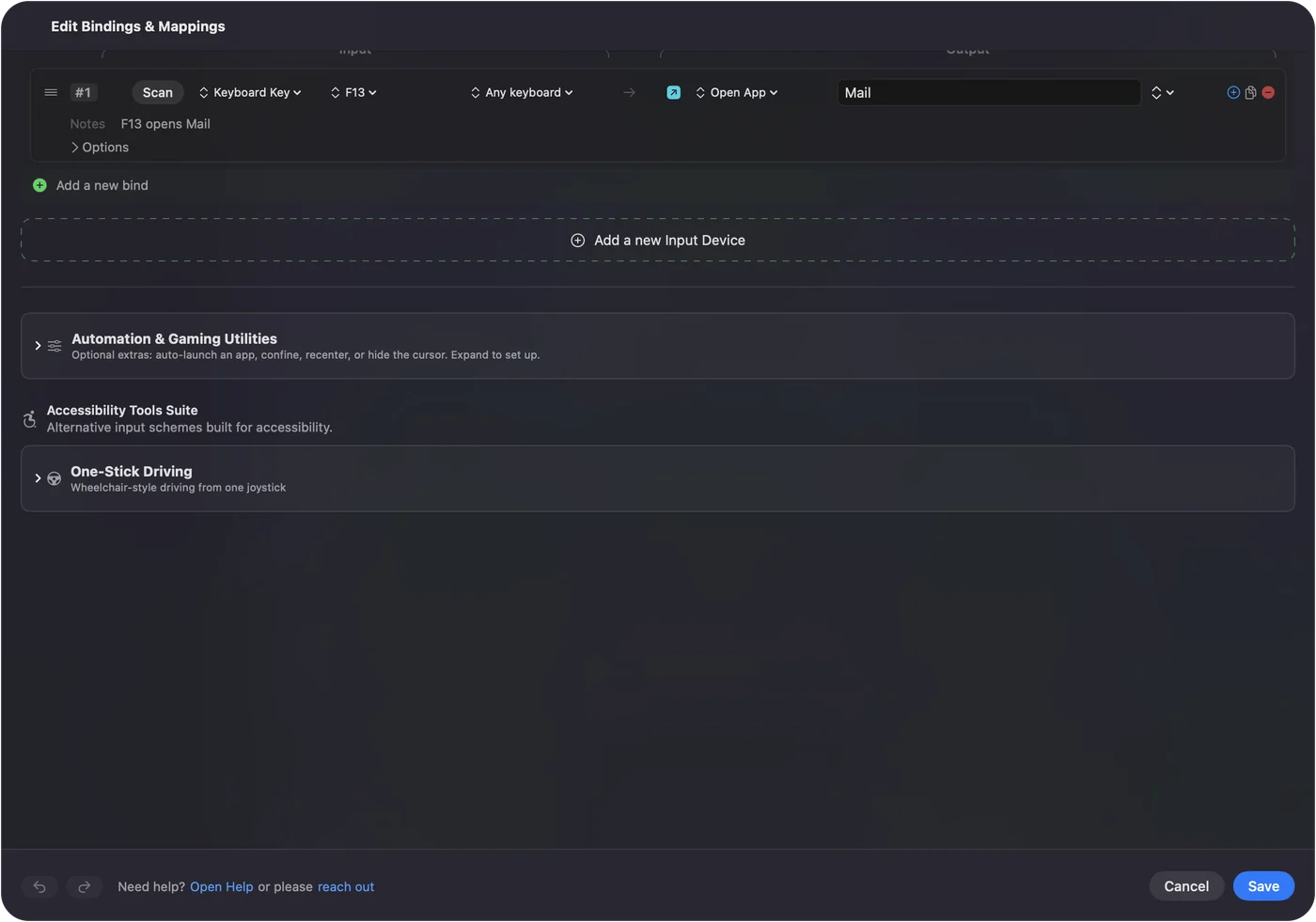
- You: Add a row, press Scan and press a control. Set the output type to System Function, pick Open App and type the app's name.
- InputConfig: Takes an app name, a bundle identifier or a path, and brings the app to the front.
- Check: Press the control. The app opens, or comes forward if it was already open.
Open a website or a link
Open URL opens anything the Mac has a handler for. A web address opens in your browser. A mailto link starts a new message, and app links such as spotify or obsidian ones open that app at a place inside it.
Open several things from one button
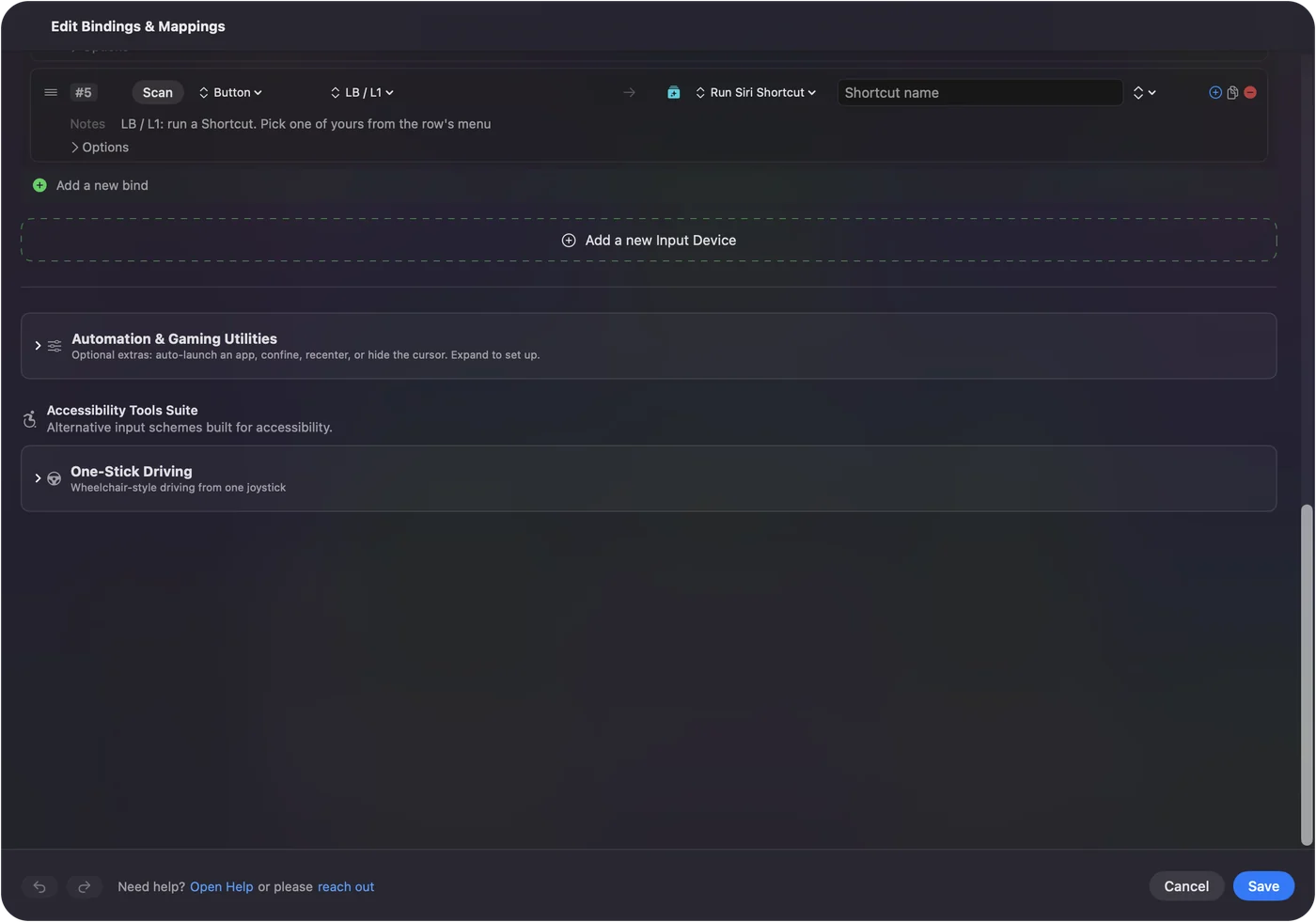
A macro in InputConfig presses keys and mouse buttons, so it cannot hold an Open App step. For one button that opens an app and then does something in it, build that in the Shortcuts app and run it with Run Siri Shortcut. A Shortcut can open several apps and arrange them, and one button runs it.
Pick the right kind of button
- F13 to F19. These keys type nothing, so they make clean launcher keys.
- Mouse side buttons. These are good for the two apps you switch to most.
- A MIDI pad grid. A grid gives you sixteen launchers on the desk.
What it cannot do
A letter key still types its letter, because InputConfig listens to the keyboard and does not block keys. Use keys that type nothing. The preset must be running for the buttons to work.
The short version
- An app. System Function, Open App, then the app's name.
- A link. System Function, Open URL.
- More than one step. Run Siri Shortcut.
Spare keys and buttons make the best launchers, because nothing else uses them.
Questions
Can I open an app with a keyboard key on a Mac?
Yes. In InputConfig, bind a key such as F13 to the Open App system function and type the app's name. Use a key that types nothing, because a letter key still types its letter.
Can a mouse button open an app on a Mac?
Yes. Bind a mouse side button to Open App in InputConfig. Tick Block the button's own action so it does not also go back in a browser.
Can one button open several apps?
Yes, with Run Siri Shortcut and a Shortcut that opens them. An InputConfig macro only presses keys and mouse buttons, so it cannot open apps.
Related
Completely free. You don't have to make an account, there are no subscriptions, and nothing is locked. Optimized for Apple silicon. Open source on GitHub.
Updated