Where your data lives
 InputConfig is completely free on the Mac App Store. You don't have to make an account, there are no subscriptions, and nothing is locked. Optimized for Apple silicon.
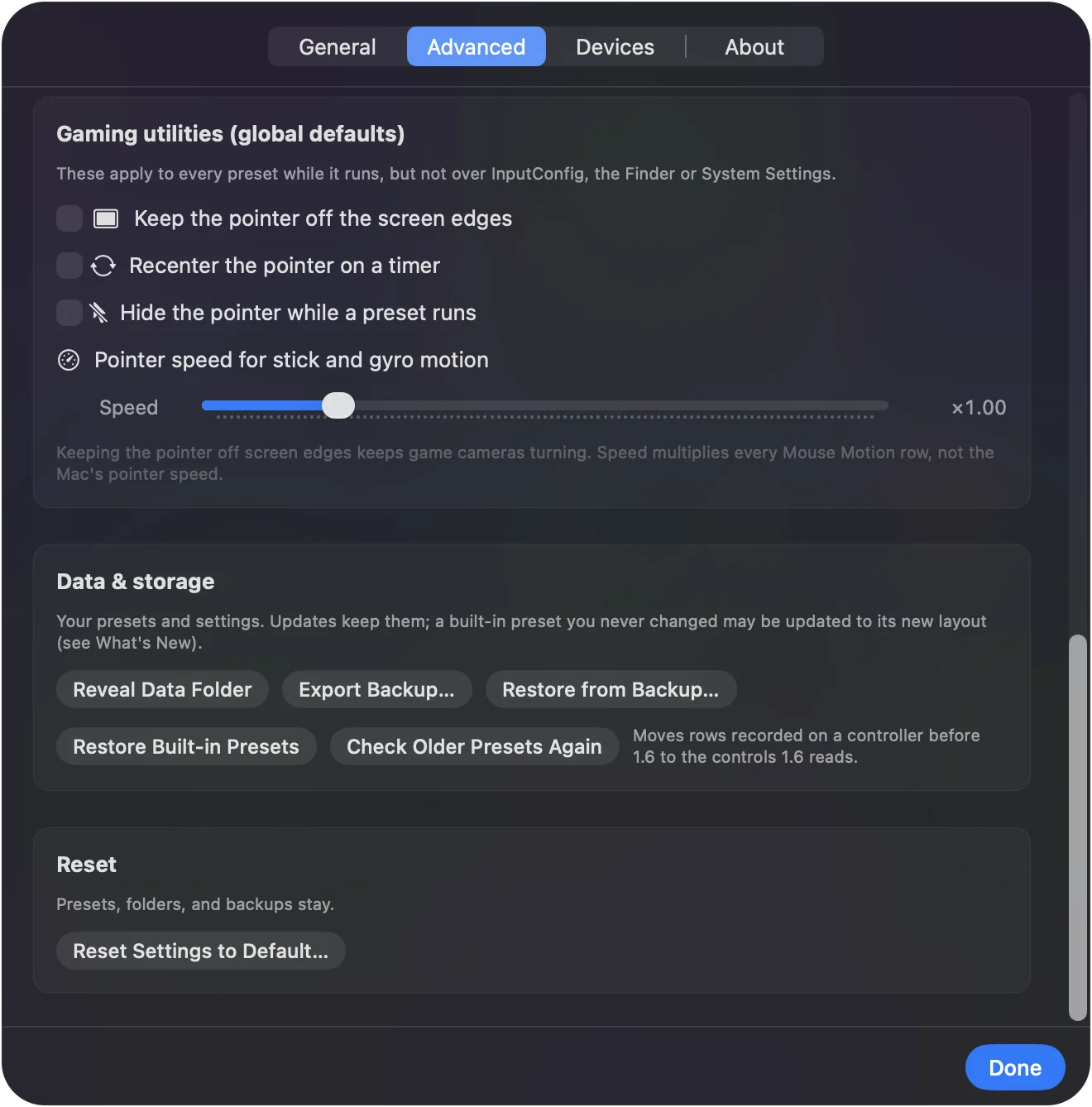
Every preset, folder, snapshot, statistic and calibration lives in InputConfig's own container on your Mac. App Store updates replace the app and leave the container alone, and nothing is ever sent anywhere. Settings, Advanced has the three buttons you need: Reveal Data Folder, Export Backup and Restore from Backup.
Find the data folder
Settings, Advanced, Reveal Data Folder opens it in the Finder.
Finder, Go, Go to Folder: Paste this path to open the same folder by hand.
~/Library/Containers/com.inputconfig.app/Data/Library/Application Support/InputConfig/What happens: The folder opens, with one subfolder for presets and one for their saved versions.
- presets. One JSON file per preset, the same files Export writes and Import reads.
- versions. The last ten saves of each preset, for Revert.
- groups.json. Folders, colors and order.
- stats.json. Lifetime statistics.
- motionCalibration.json. Each controller's resting zero.
Your whole setup is a handful of plain files in one folder.
Back up, or move to a new Mac
- You: On the old Mac, click Settings, Advanced, Export Backup. On the new Mac, install InputConfig and click Restore from Backup.
- InputConfig: Writes every preset, folder and setting into one file, and reads it back on the other Mac without duplicating the built-in presets.
- Check: InputConfig says what it restored, and your presets are in the sidebar.
iCloud does not sync presets, because the app makes no network connections. Export a backup and copy the file yourself; that one file is the whole setup.
Uninstall without losing anything
Drag the app to the Trash. The container stays until you delete it, so a reinstall picks up where you left off. Removing the app never removes your presets.
The short version
- Where. Settings, Advanced, Reveal Data Folder.
- Backup. Export Backup writes one file; Restore from Backup reads it.
- Updates. They never touch the container.
Make a backup before you change a lot, and keep the file somewhere you back up anyway.
Questions
Does iCloud sync my presets?
No. The app makes no network connections. Export a backup and copy the file yourself.
Can I edit the preset files directly?
They are plain JSON. Quit the app first so it does not overwrite your change.
Will an InputConfig update erase my presets?
No. An App Store update replaces the app and leaves its container alone, so presets, folders, statistics and calibration carry over. Presets saved by a newer version still open in an older one. What changed in each version is on the What's new page.
Related
Completely free. You don't have to make an account, there are no subscriptions, and nothing is locked. Optimized for Apple silicon. Open source on GitHub.
Updated